
Summary
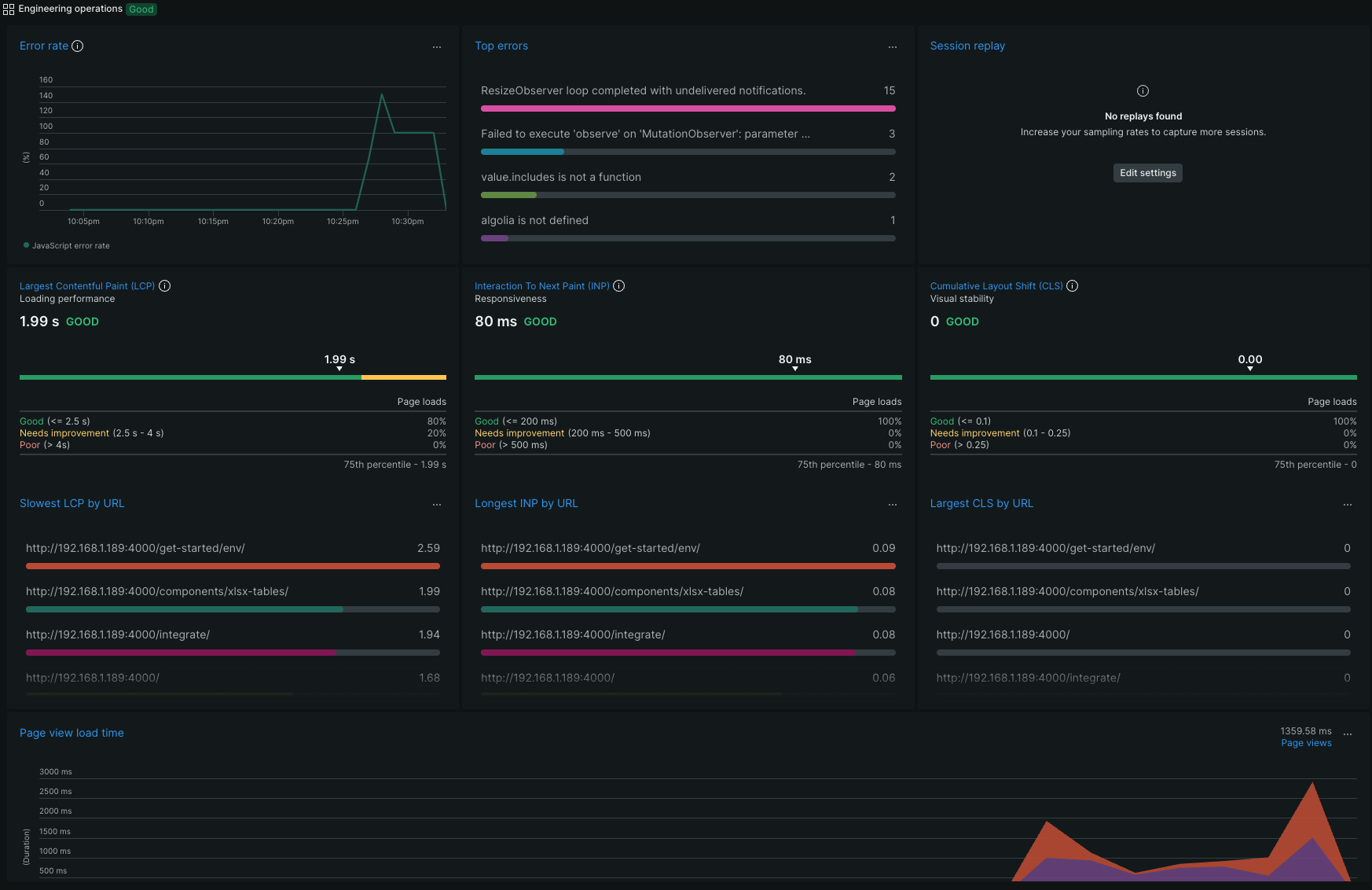
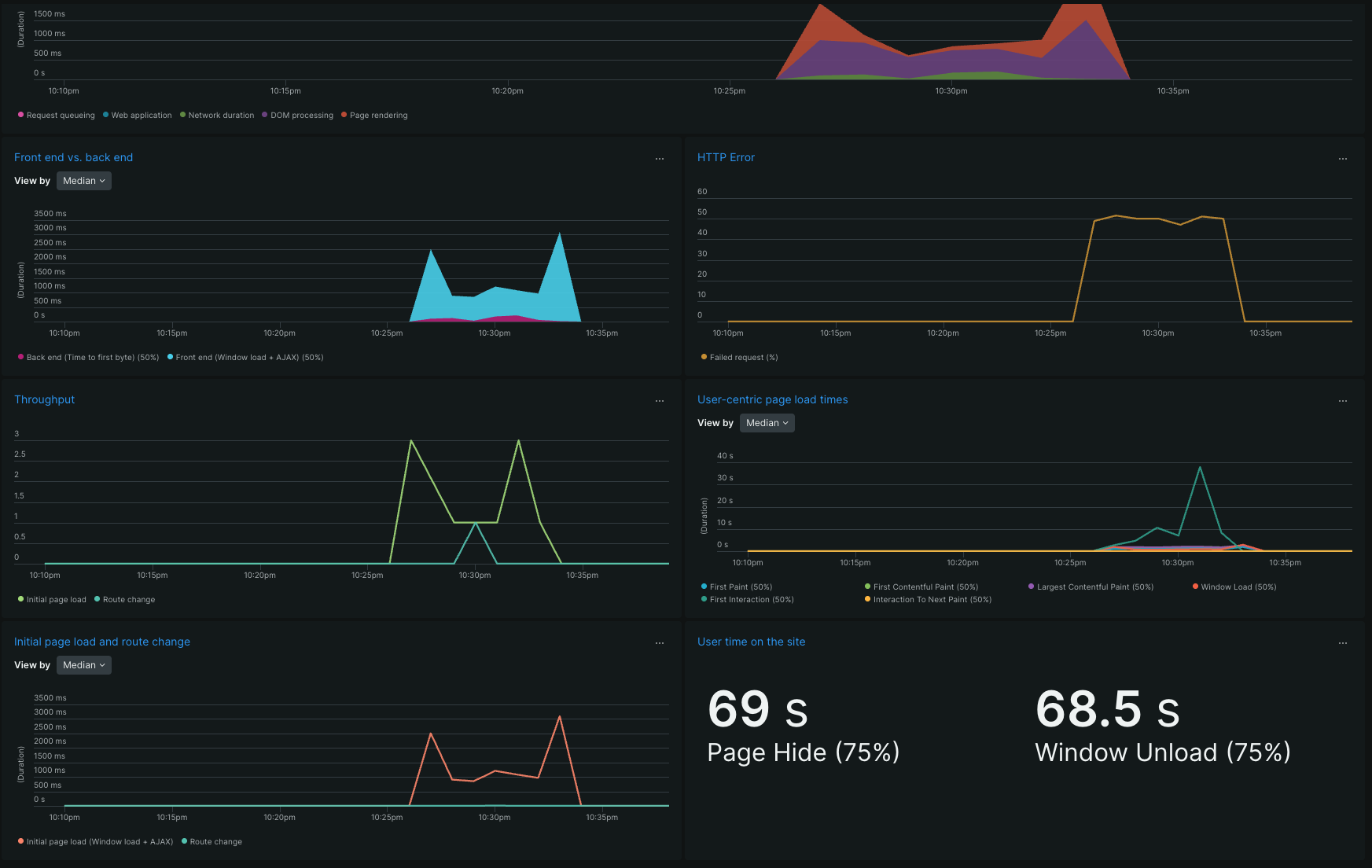
New Relic integration is provided out-of-the-box once this integration is enabled. This integration allows monitoring and measuring the performance of the site. Used in combination with the hooks extension capabilities, it provides a robust way to log the user interactions with site. We provide a function that logs to new Relic the execution of any target function used as part of the code base of the site.
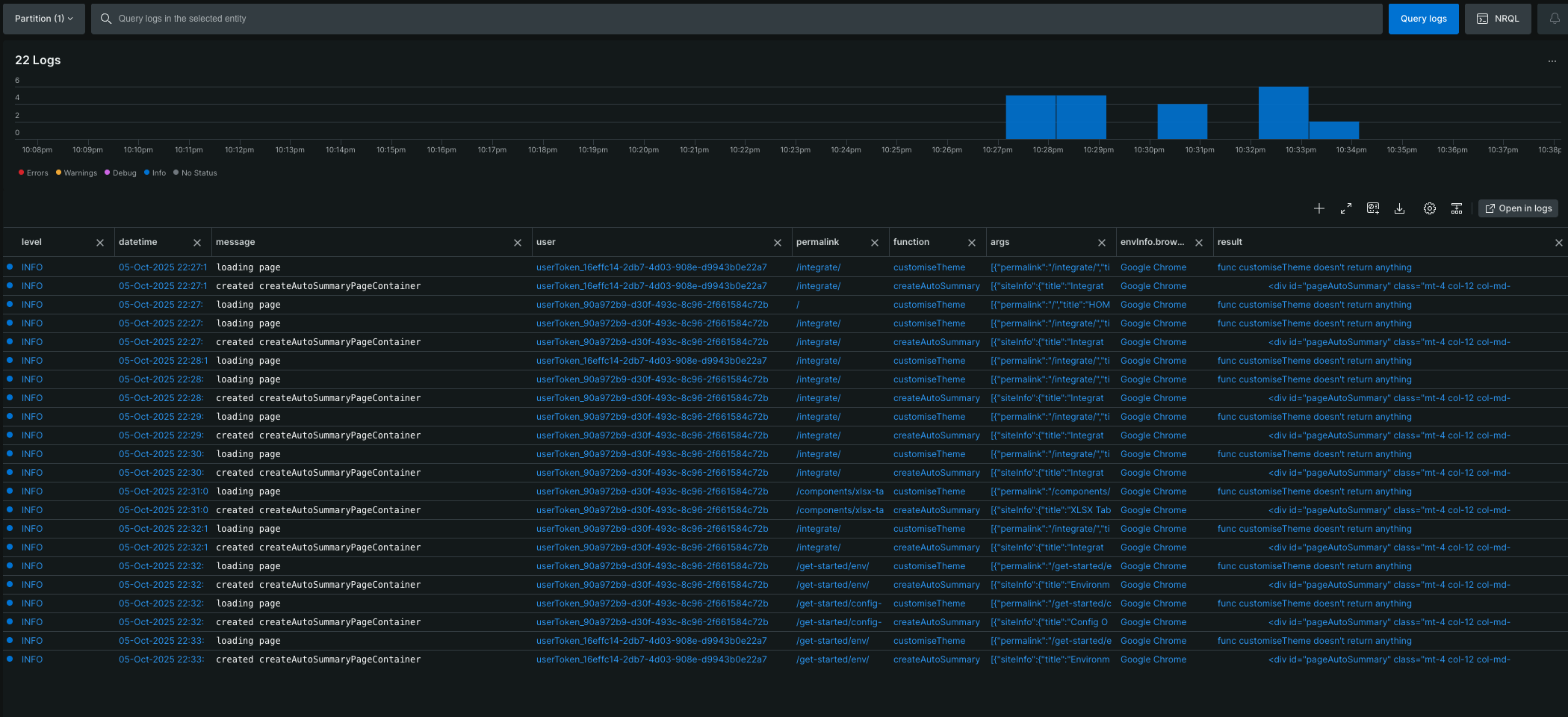
Hooking the logging function to the target function will send to New Relic the context information of the target function execution (timestamp, target function arguments, execution result, the page on which the target function was executed, user anonymous id, device and browser information). Using the logs brings valuable information about how the site is functioning and can lead to important optimisations and fixes.
Usage
Using this integration requires a little bit of code and New Relic knowledge. First, it is needed to do the needed configurations in New Relic and get the integration parameters to be configured as environment variables. Second, locate the function which you want to log and bring it into global scope. Then, define the hook and, finally, activate it.
You may need to consult New Relic documentation. Follow the instructions from that documentation to create and configure a browser app which must be used for this integration.
Refer to the GA/GTM integration for an example of how to activate a target function, make it hookable, define and activate the hook.
Don’t forget to re-build and re-deploy the site after doing code modifications!!!
The New Relic integration is based on the next parameters:
# New Relic
NR_ENABLED = <true/false, enable/disable New Relic integration>
NR_BROWSER_ENABLED = true
NR_ACCOUNT_ID = <New Relic account ID, see New Relic documentation>
NR_BROWSER_APP_ID = <New Relic browser app ID, see New Relic documentation>
NR_BROWSER_APP_LICENSE_KEY = <New Relic browser app license key, see New Relic documentation>
NR_BROWSER_BEACON = <New Relic browser app beacon, see New Relic documentation>
When the deployment is on Github pages or Netlify, then the Github integration parameters should be configured in as action secrets in Github or environment variables in Netlify. The names of the integration parameters is the same, regardless of the deployment environment (local, custom, Github pages or Netlify).
You may need to consult the Github documentation or the Netlify documentation to find out how to create your personal access token and how to define action secrets (Github) or environment variables (Netlify).
Using New Relic integration requires:
- configure the
New Relic browser app, retrieve the integration parameters and configure them in the.envfile or asGithub actions secretsor asNetlify build environment variables. This would be enough for monitoring and measuring the performance of the site. - bring into global scope the target functions that you want to log
- hook into the target functions executions, use the
nrLogfunction inside the hooks and activate the hooks
Here is an example of a logging hook that logs createAutoSummaryPageContainer function:
hooks.addAction('createAutoSummaryPageContainer', (functionName, result, args) => {
    console.log(`sample post-hook after nested function: ${functionName} on ${$('page-data-permalink').text()}`);

    nrLog(
        'created createAutoSummaryPageContainer',
        'created createAutoSummaryPageContainer',
        'info',
        {
            functionName: functionName,
            result: result,
            args: args
        }
    );
}, 0, 'post');
Here is an example about the outcome of New Relic integration:
On this page