
Summary
Google Analytics and Google Tag Manager are installed by default if enabled and configured in _data/buildConfig.yml. This will enable the collection of data about the site. When GA and GTM are connected, GA collects the information available when a GTM tag fires, this being a default feature of GA platform. However, the most important feature of the integration is the capability to integrate GTM custom tags.
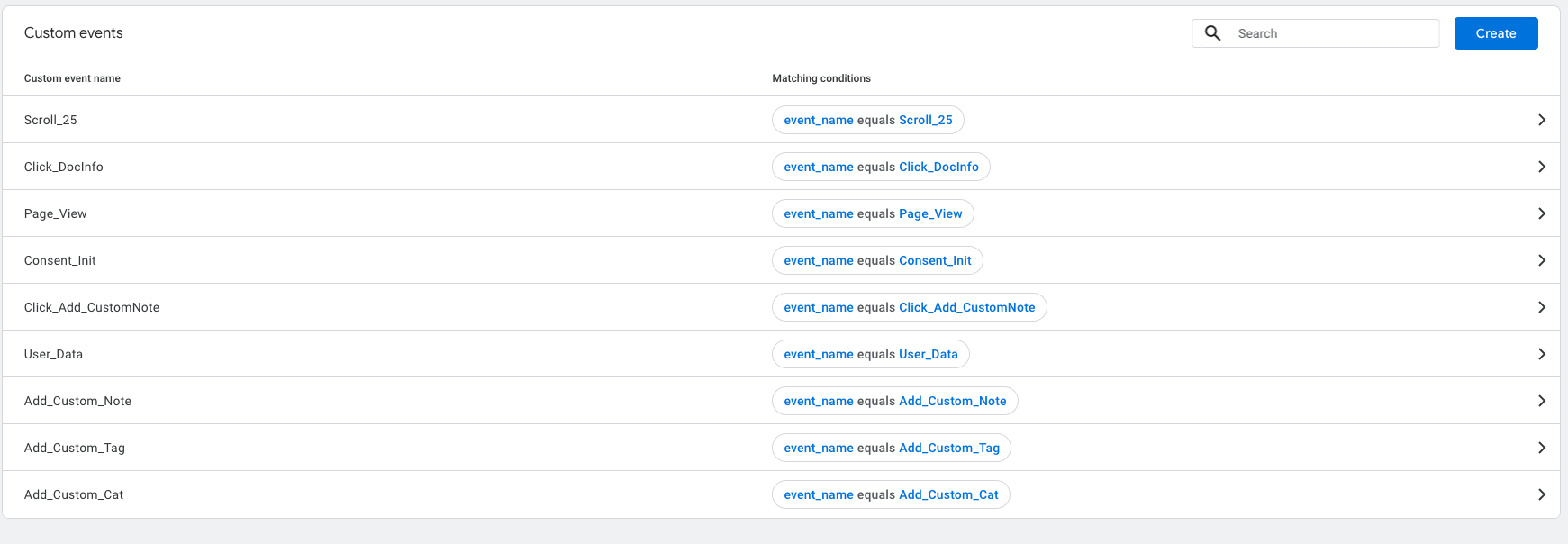
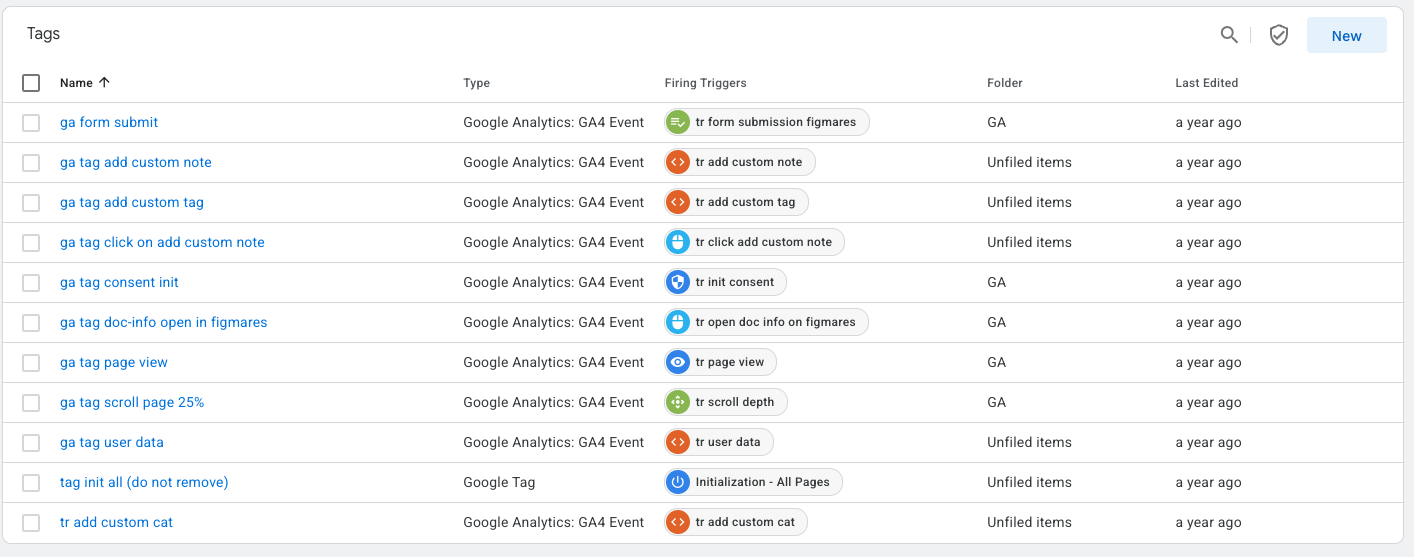
We achieve this with by combining the customisations/configurations made on GA/GTM side (such as defining custom tags) with the hooks extension capabilities of Docaroo. This allows hooking into a functions and firing a custom GTM tag with parameters, once the function is executed, thus being able to monitor relevant features of the site. Here is an example of firing a custom tag each time when a document custom note is added. The hook below fires the Add_Custom_Note event, which it is assumed to be defined as custom tag in GTM and connected to its related custom event active in GA.
Usage
Using this integration requires a little bit of code and GA/GTM knowledge. First, it is needed to do the needed configurations in GTM and in GA to define the custom tag and event. Second, locate the function which you want to fire the event (in the example we use addNote which is located in assets/js/saved-items.js) and bring it into global scope. Then, define the hook in assets/js/post-hooks.js and, finally, activate it.
⚙️ Configure GA and GTM
- Create the custom tag in your GTM container and activate it
- Create the custom event in GA, connect it to the custom tag and activate it
👀 Locate and bring the target function to global scope
- Go to
assets\js\savedItems.js - find
addNote = (note, pageInfo) : {....} - make sure that is defined like
window.addNote = (note, pageInfo) : {}and not likeconst addNote = (note, pageInfo) : {}
This will bring it into global scope and make it hookable.
🪝 Define hook
addNoteAction: (functionName, result, args, ...extraArgs) => {
        const userToken = Cookies.get(settings.user.userTokenCookie);
        gtmObject = {
            'userToken': userToken,
            'event': 'Add_Custom_Note'
        };
        fireGTMTag(gtmObject);
    },
🏹 Activate hook
hooks.addAction('addNote', globUtils.bindArgsAtEnd(postHooksActions.addNoteAction, ), 0, 'post');
You may need to consult GA and GTM documentation. Follow the instructions from that documentation to configure and activate the custom tag and event.
Don’t forget to re-build and re-deploy the site after doing such code modifications!!!
On this page