
Summary
Docaroo provides out-of-the-box full integration with Algolia DocSearch. Full integration means that we provide both Algolia index customisation as well as a very powerful and extended UI experience. For Algolia search, at the moment, we provide full indexing and index update during site build, but we do not provide (yet) the UI experience. However, for most of the potential use cases of Docaroo, Algolia DocSearch covers any search need. Also it is free for ever as long as you meet Algolia DocSearch eligibility.
Algolia DocSearch UI experience is provided by default once this integration is enabled and properly configured. The search experience has multilanguage support by default. Additionally, we provide a very nice search-on-site feature, meaning that is not always necessary to open the search box to do your search. Host select a text on page and see Search in site option in the context menu.
Usage
Using Algolia DocSearch is a no-code configuration but requires minimum knowledge about Algolia. Integration with Algolia DocSearch needs only to configure the parameters of the integration after getting them from Algolia. Activating this integration means:
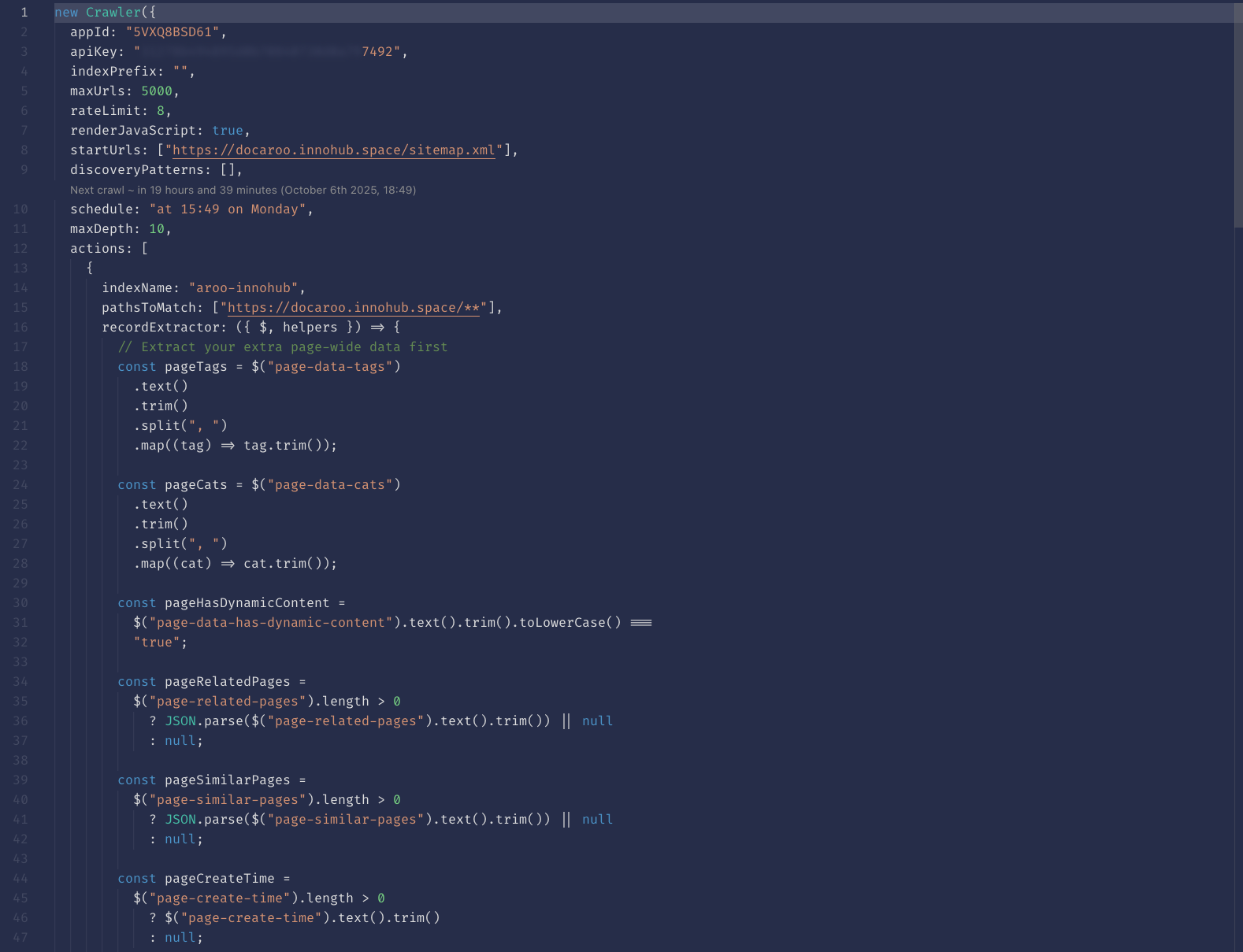
sign-up for Algolia DocSearch. After receiving the Algolia DocSearch app information, configure it in.envfile and/or asGithub actions secretsorNetlify build environment variables- modify the default crawler with the script we provide and test the updated crawler
- configure the index using the configuration we provide (this will generate the minimum necessary index configuration)
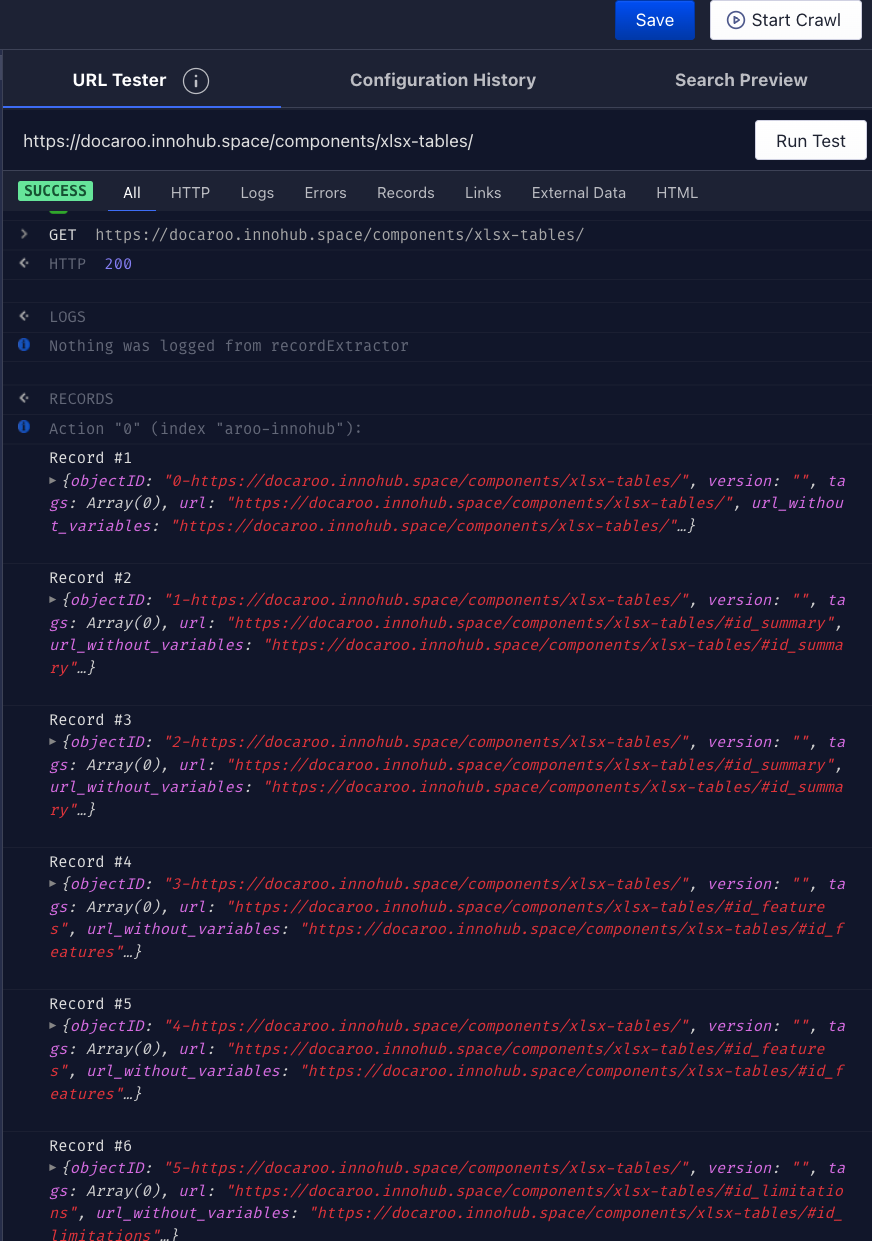
- manually crawl the site and check the records generated in the index
- re-build and re-deploy the site
You may need to consult Algolia documentation to understand how to use the crawler editor and how to apply settings on the index.
The Algolia DocSearch integration is based on the next parameters:
# Algolia
ALGOLIA_SEARCH_ENABLED = <true/false, enable/disable Algolia DocSearch>
ALGOLIA_APP_ID = <Algolia DocSearch app ID, see Algolia documentation>
ALGOLIA_INDEX = <Algolia DocSearch index, see Algolia documentation>
ALGOLIA_WRITE_API_KEY = <Algolia DocSearch app write key, see Algolia documentation>
ALGOLIA_PUBLIC_API_KEY = <Algolia DocSearch read(public) key, see Algolia documentation>
When the deployment is on Github pages or Netlify, then the Github integration parameters should be configured in as action secrets in Github or environment variables in Netlify. The names of the integration parameters is the same, regardless of the deployment environment (local, custom, Github pages or Netlify).
You may need to consult the Github documentation or the Netlify documentation to find out how to define action secrets (Github) or environment variables (Netlify).
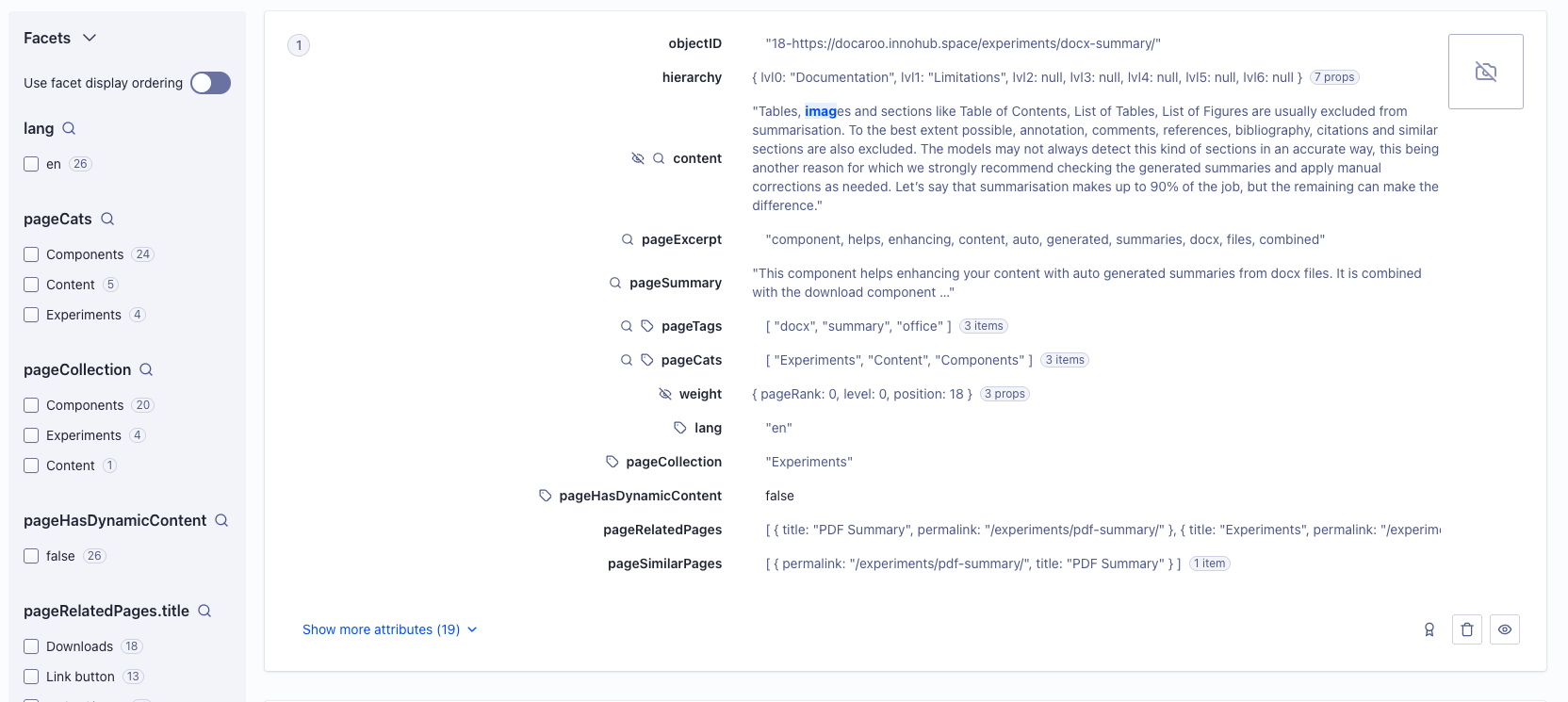
Here is an example of how the elements of a well configured Algolia DocSearch integration may look like:
Advanced
As described earlier, for Algolia search, at the moment, we provide full indexing and index update during site build, but we do not provide (yet) the UI experience. For this reason, using the integration with Algolia search requires more advanced developer skills since it is needed to build the UI search experience over the index which is automatically updated when building the site.
To use Algolia search integration it is needed to:
- create the Algolia search app and (if allowed by your plan) the crawler
- (if applicable) modify the crawler using the crawler script we provide. Test your crawler
- apply minimum index configuration with the configuration we provide for custom indexes
- if you already have content published, force full re-build of the site by removing
doc-raw-contentsfolder.Be aware that it may take a while, depending on how much content you already have. This will create the records in the index. - create the search UI experience.
You may need to consult Algolia documentation at this point! - deploy the site
The Algolia search integration is based on the next parameters:
ALGOLIA_CUSTOM_ENABLED = <true/false, enable/disable Algolia search>
ALGOLIA_CUSTOM_APP_ID = <Algolia search app ID, see Algolia documentation>
ALGOLIA_CUSTOM_INDEX = <Algolia search, see Algolia documentation>
ALGOLIA_CUSTOM_WRITE_API_KEY = <Algolia search app write key, see Algolia documentation>
ALGOLIA_CUSTOM_ADMIN_API_KEY = <Algolia DocSearch admin key, see Algolia documentation>
Algolia DocSearch and regular Algolia search can be both active in the same time, although for search purposes DocSearch does the job. However, if you are not eligible for Algolia DocSearch, you may need to use the regular Algolia search (on free or paid plans).
Updating the algolia search index at build time will add records to the index only for the site content that was modified since last build (incremental build). If you want to activate Algolia search at one moment, be aware that you need to force full re-build of the site. Remove doc-raw-contens folder to force full rebuild and first initialisation of the Algolia search index. Be aware that this operation may lead to a longer build time for that build!!!
On this page